Run Responders and Review Reports for a Case#
Cortex responders execute actions on cases, alerts, observables, tasks, and task logs.
Run responders on a case to execute automated actions such as closing an external ticket or performing a predefined response within TheHive.
Only responders authorized for cases and matching their TLP (traffic light protocol) and PAP (permissible actions protocol) levels are available.
Observables not included
Running a responder on a case doesn't run it on the observables linked to the case. To run responders on an observable, see Run Responders and Review Reports for an Observable.
Running functions on a case
5.4 Did you know it’s possible to run functions on cases just like running responders? See Run a Function on a Case or an Alert for detailed instructions.
Run responders on a case#
-
Locate the case on which you want to run responders.
-
In the case, select Responders.
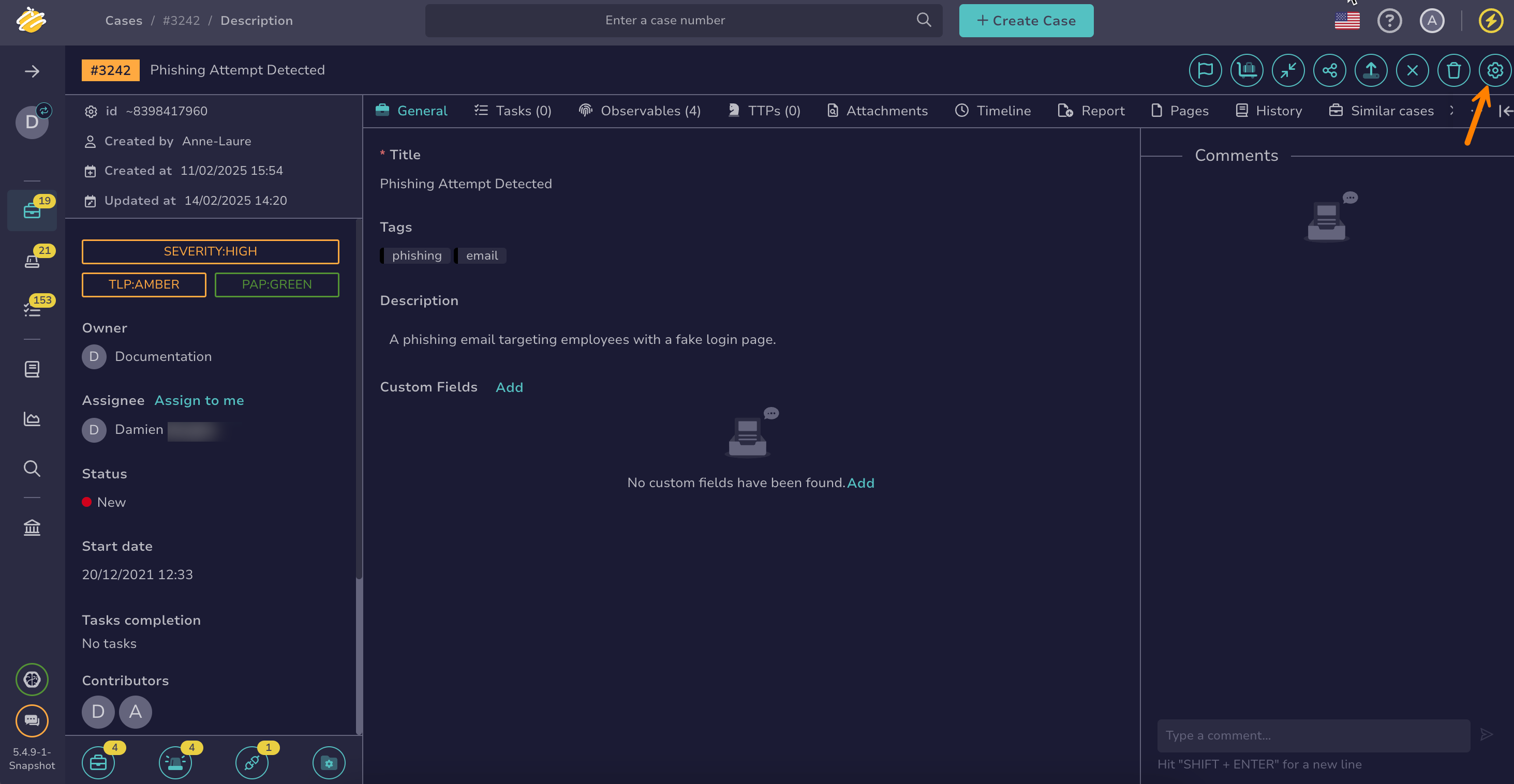
6.0 You can also run responders from the Automation Center: go to the Automations tab, select the Responders tab, then select Run Responders.
-
In the drawer, select the responders you want to run.
-
Select Launch actions.
-
Select Confirm.
Review responder reports for a case#
-
Locate the case on which you ran responders.
-
In the case, select the Responders tab to check the status of the executed responders.
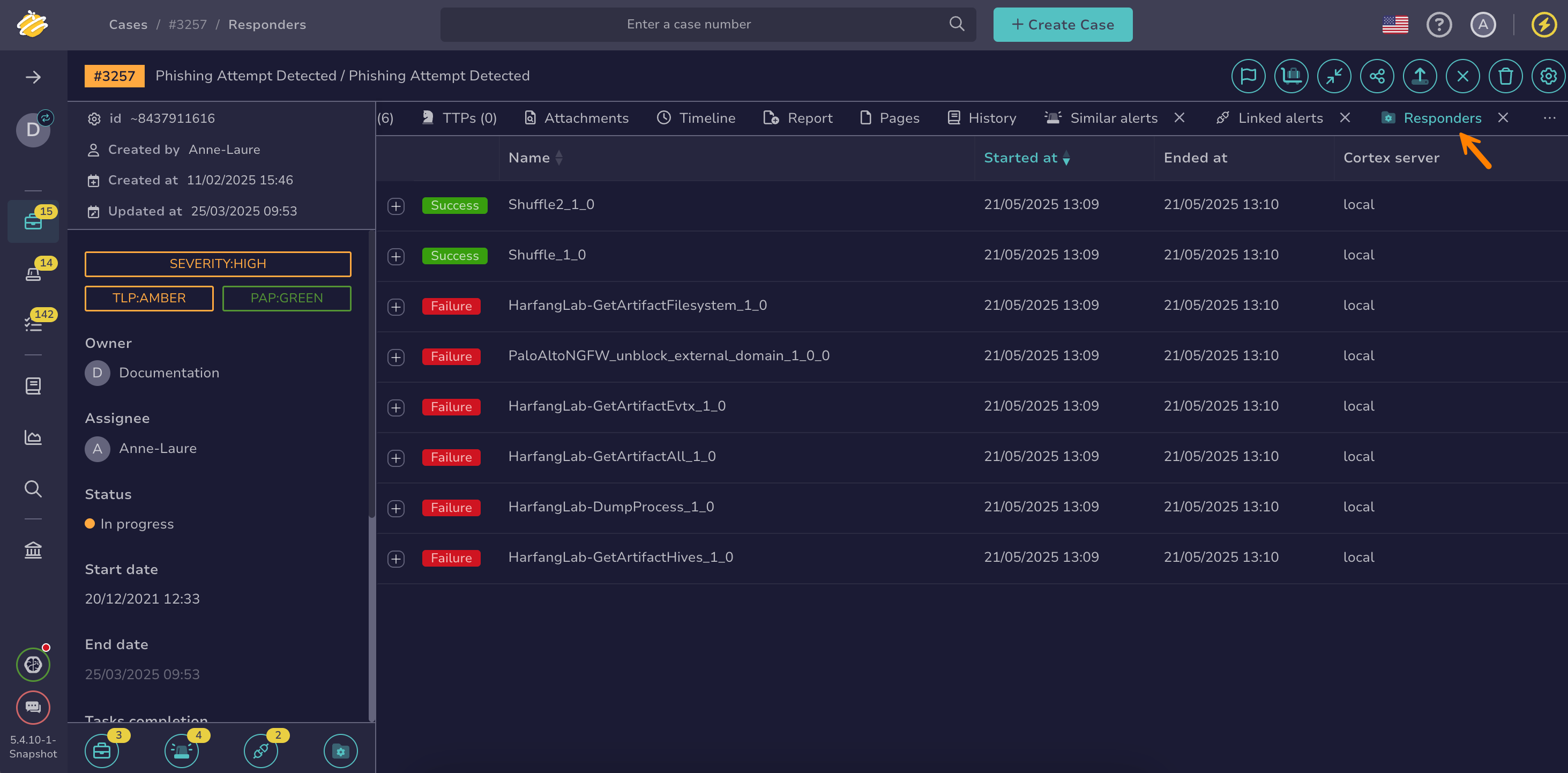
6.0 You can also check them in the Automation Center: go to the Automations tab and select the Responders tab. This list also includes the responders run on the observables, tasks, and task logs of the case, with the following columns:
- Status: Whether the responder is waiting, in progress, succeeded, failed, or was deleted from Cortex
- Name: The responder that ran. The name is blank while the responder is waiting.
- Title: The observable, task, or task log the responder ran on. Select it to open the observable or task. A dash means the responder ran on the case itself.
- Entity: The type of object the responder ran on
- Triggered by: Who ran the responder
- Start date: When the responder started